loading...
برترفایل
www.BartarFile.ir بازدید : 394 پنجشنبه 02 اردیبهشت 1395 نظرات (0)

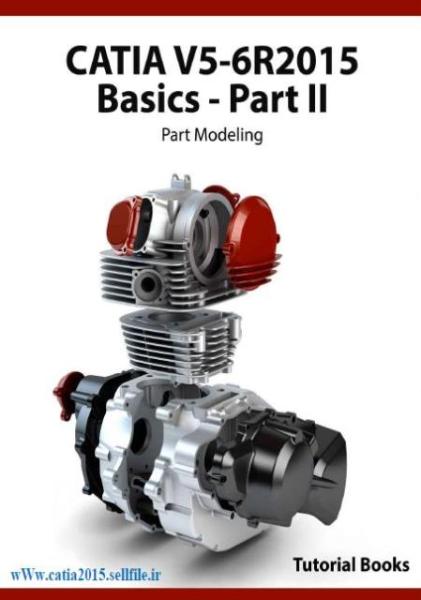
کتاب آموزش و تمرین کتیا 2015 (CATIA V5-6R2015 Basics - Part II - Tutorial Books)، یکی از کتاب های مرجع و کاربردی در زمینه آموزش محیط Part Modeling نرم افزار کتیا 2015 می باشد. این کتاب مشتمل بر 180 صفحه، به زبان انگلیسی روان، تایپ شده، به همراه تصاویر رنگی، با فرمت PDF، به ترتیب زیر گردآوری شده است:

Contents

Chapter 3: Basic Sketch Based Features

Pad

Shaft

Project 3D Elements

The Plane command

Offset from plane

Parallel through Point

Through three points

Through two lines

Through point and line

Through planar curve

Normal to curve

Tangent to surface

Equation

Mean through points

Coordinates

On curve

On Plane

On Surface

Circle/Sphere/Ellipse center

Tangent on curve

Between

Line

Additional options of the Pad and Pocket commands

Limits

Thick

View commands

Measure Commands

Examples

Example 1

Example 2

Questions

Exercises

Exercise 1

Exercise 2

Exercise 3

Chapter 4: Holes and Dress-Up Features

Hole

Simple Hole

Counter bored Hole

Countersunk Hole

Tapered Hole

Threaded Hole

The Thread/Tap command

The Edge Fillet command

Limiting elements

Blend corner

Variable Radius Fillet

Chordal Fillet

Face-Face Fillet

Tritangent Fillet

The Chamfer command

Draft Angle

Draft Reflect Line

Variable Angle Draft

Shell

Examples

Example 1

Questions

Exercises

Exercise 1

Exercise 2

Chapter 5: Patterned Geometry

The Mirror command

Rectangular Pattern

Circular Pattern

User Pattern

Scaling

Affinity

Examples

Example 1

Questions

Exercises

Exercise 1

Exercise 2

Chapter 6: Rib Features

The Rib command

The Slot command

Example 1

Questions

Exercise1

Chapter 7: Multi Section Solids

The Multi-sections Solid command

Types of the Cross-sections

Couplings

Spines

Guides

Relimitation

Removed Multi-sections Solid

Example 1

Questions

Exercise 1

Chapter 8: Additional Features and Multi body Parts

Stiffener

Solid Combine

Multi-body Parts

Creating Multi-bodies

Insert in new body

Assemble

Add

Remove

Intersect

Union Trim

Remove Lump

Examples

Example 1 - Millimetres

Questions

Exercises

Exercise 1

Exercise 2

Exercise 3 - Inches

Chapter 9: Modifying Parts

Edit Sketches

Edit Feature Definition

Edit Feature Parameters

Deactivate Features

Activate Features

Changing the Sketch Support

Examples

Example 1

Questions

Exercises

Exercise 1


جهت دانلود کتاب آموزش و تمرین کتیا 2015 (CATIA V5-6R2015 Basics - Part II - Tutorial Books) برلینک زیر کلیک نمایید:


کتاب آموزش و تمرین کتیا 2015 جلد دوم (CATIA V5-6R2015 Basics - Part II - Part Modeling Tutorial Books)


www.BartarFile.ir بازدید : 370 پنجشنبه 02 اردیبهشت 1395 نظرات (0)

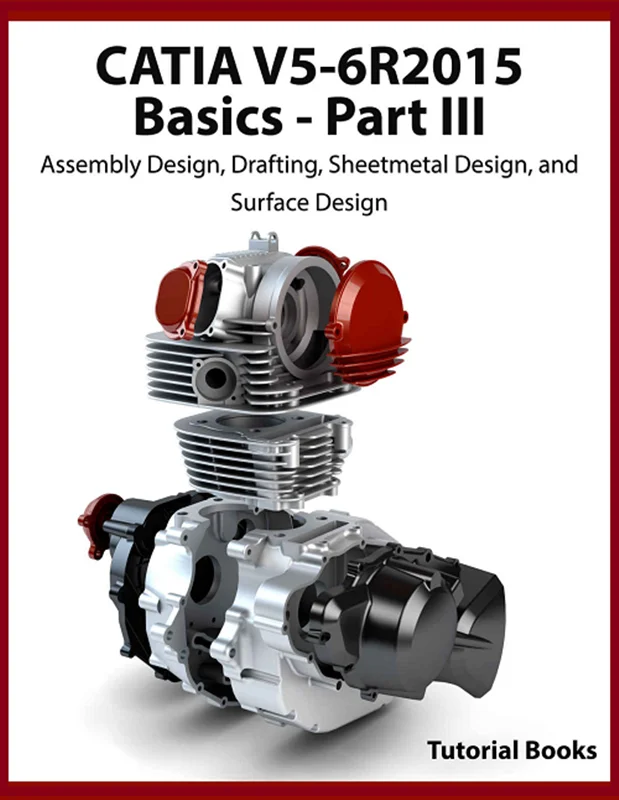
کتاب آموزش و تمرین کتیا 2015 (CATIA V5-6R2015 Basics - Part III - Assembly Design, Drafting, Sheet Metal Design, Surface Design Tutorial Books)، یکی از کتاب های مرجع و کاربردی در زمینه آموزش محیط های مونتاژ (Assembly Design)، محیط نقشه کشی صنعتی (Drafting)، محیط ورقکاری (Generative Sheet Metal Design)، محیط سطح سازی پیشرفته (Surface Design) نرم افزار کتیا 2015 می باشد. این کتاب مشتمل بر 274 صفحه، به زبان انگلیسی روان، تایپ شده، به همراه تصاویر رنگی، با فرمت PDF، به ترتیب زیر گردآوری شده است:

Contents

Chapter 10: Assemblies

Starting an Assembly

Inserting Components

Fixing the first Component

Inserting the Second Component

Manipulation

Snap

Smart Move

Contact Constraint

Offset Constraint

Coincidence Constraint

Angle Constraint

Parallelism and Perpendicularity Constraints

Fix Together

Clash

Editing and Updating Assemblies

Redefining Constraints

Change Constraint

Replace Component

Symmetry

Sub-assemblies

Top Down Assembly Design

Creating a New Part

Creating a Product

Creating a Component

Explode

Examples

Example 1 - Bottom Up Assembly

Example 2 - Top Down Assembly

Questions

Exercise 1

Chapter 11: Drawings

Starting a Drawing

Front View

Advanced Front View

Projection View

Auxiliary View

Isometric View

Section View

Half Section View

Aligned Section View

Creating Section Cuts

Detail View

Detail View Profiles

Clipping View

Clipping View Profile

Broken View

Breakout View

Exploded View

View Properties

View Alignment

Bill of Material

Balloons

Center lines

Dimensions

Chained Dimensions

Cumulated Dimensions

Stacked Dimensions

Angle Dimensions

Radius Dimensions

Diameter Dimensions

Chamfer Dimensions

Thread Dimensions

Coordinate Dimensions

Text

Examples

Example 1

Example 2

Questions

Exercises

Exercise 1

Exercise 2

Chapter 12: Sheet Metal Design

Starting a Sheet Metal part

Sheet Metal Parameters

Wall

Wall on Edge

Sketch Based Wall on Edge

Extrusion

Bend

Conical Bend

Flange

Hem

Tear Drop

User Flange

Bend From Flat

Unfolding

Folding

Fold/Unfold

Multi Viewer

View Management

Corner Relief

Surface Stamp

Flanged Cut Out

Bead

Curved Stamp

Louver

Bridge

Flanged Hole

Circular Stamp

Stiffening Rib

Dowel Stamp

Cut out

Circular Cutout

Hopper

Recognize

Sheet Metal Drawings

Save as DXF

Examples

Example 1

Questions

Exercises

Exercise 1

Chapter 13: Surface Design

Extrude

Revolve

Sphere

Cylinder

Sweep

Sweep with two guide curves

Two Limits

Three Guides

Multi-Sections Surface

Blend

Fill

Offset Surface

Healing

Extract

Trim

Split

Untrim

Join

Translate

Rotate

Symmetry

Split - Body

Thick Surface

Close Surface

Wireframe Geometry

Circle

Spline

Corner

Connect Curve

Helix

Projection

Intersection

Example

Questions


جهت دانلود کتاب آموزش و تمرین کتیا 2015 (CATIA V5-6R2015 Basics - Part III - Assembly Design, Drafting, Sheet Metal Design, Surface Design Tutorial Books) برلینک زیر کلیک نمایید:


کتاب آموزش و تمرین کتیا 2015 جلد سوم (CATIA V5-6R2015 Basics - Part III - Sheet Metal,Surface Design,... Tutorial Books)


www.BartarFile.ir بازدید : 368 یکشنبه 22 فروردین 1395 نظرات (0)

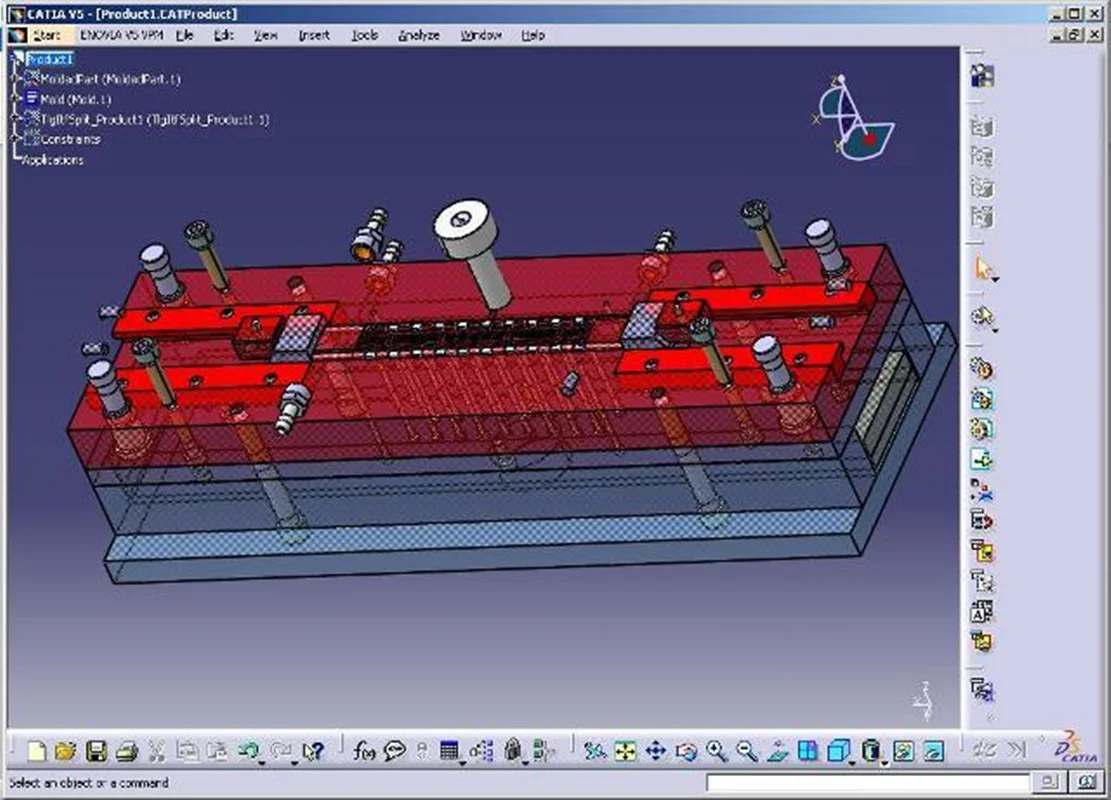
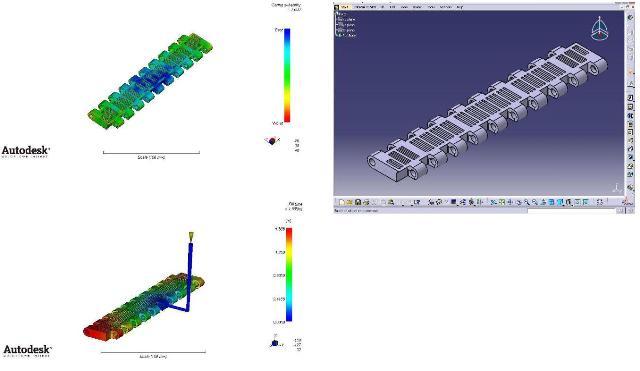
بحث اصلی این پروژه طراحی قالب تزریق پلاستیک و شبیه سازی فرآیند تزریق و تحلیل به کمک نرم افزار مولد فلو (MoldFlow) می باشد كه با استفاده از ماژول های قدرتمند این نرم افزار می توانیم مراحل پر شدن، بسته شدن، سرد شدن و تغییر شکل قطعه را تحلیل نمود.

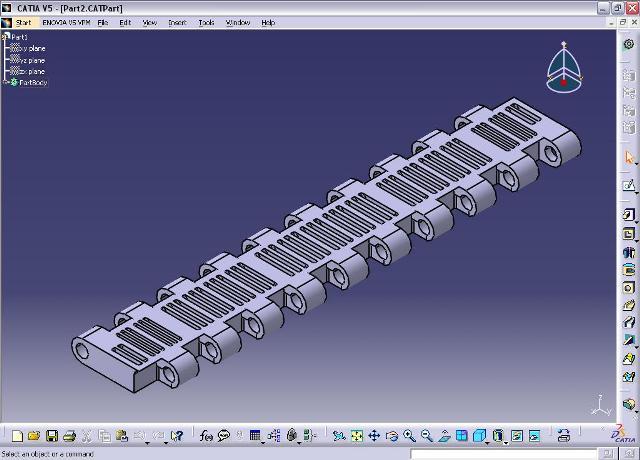
(لولا طراحی شده در نرم افزار CATIA)

به منظور کاهش هزینه های سنگین و تاخیرهای زمانی غیر قابل قبول در حین ساخت قالب، بایستی اثرات مربوط به ماده پلاستیک، هندسه قطعه، طراحی قالب و شرایط قالب گیری در کیفیت نهایی قطعه و در زمان قبل از ساخت قالب در نظر گرفته شود. به کمک نرم افزارهای طراحی و شبیه سازی و در فضای مجازی می‌توان با صرف وقت و هزینه اندک، اثرات پارامترهای مختلف در قالب را تحلیل و ارزیابی نمود. در فصول پيش رو به دلیل آشنایی و داشتن پیش زمینه ای از قالب ها در مورد دستگاه ها و طراحی قالب های تزریق پلاستیک نخست مطالبی به صورت مختصر ارائه گردیده است.

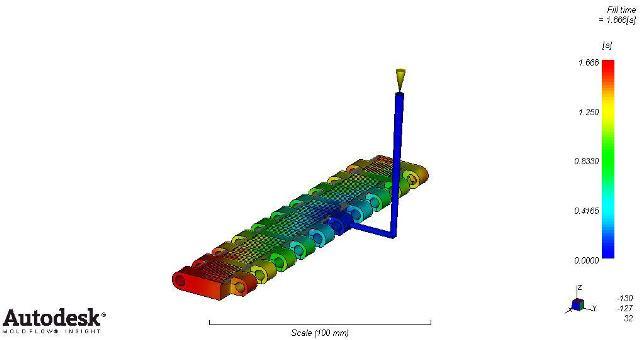
(تحلیل لولا در نرم افزار MoldFlow)

سپس با محيط هاي گوناگون نرم افزار كتيا آشنا مي شويم و قطعه را در محيط پارت و با كمك از محيط شيپ ديزاين مدل مي نماییم. پس از آن مرور مختصري بر نرم افزار مولدفلو داشته و مدل مربوطه را در اين نرم افزار تحليل مي كنيم و با توجه به ابعاد قطعه و نتايج حاصل از تحليل، قالب تزريق محصول را طراحي مي كنيم، در انتها نيز به جمع بندي نتايج حاصل شده مي پردازيم...

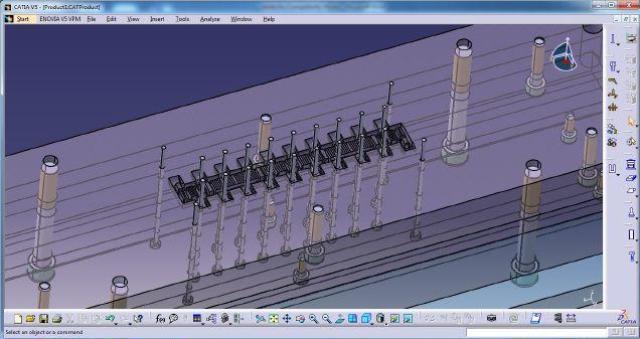
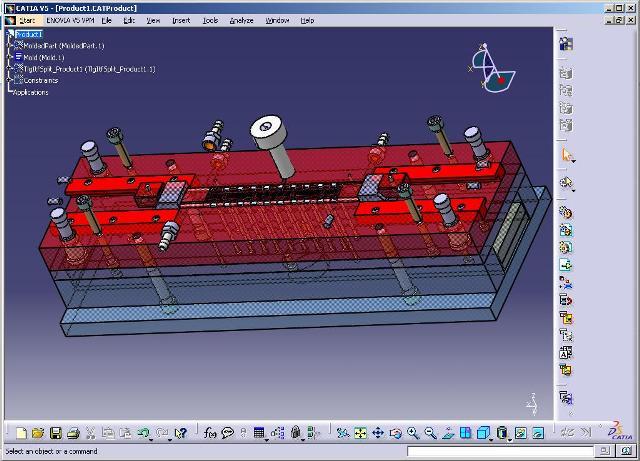
(طراحی قالب لولا در محیط Mold Tooling Design نرم افزار CATIA)

پروژه مورد نظر مشتمل بر شش (6) فصل، 134 صفحه، تایپ شده، به همراه تعدادی تصاویر، دیاگرام، روابط ریاضی و فرمول ها، با فرمت word جهت دانلود قرار داده شده تا به راحتی کاربر بتواند آن را به میل خود در صورت نیاز ویرایش نماید و فصل بندی پروژه به ترتیب زیر می باشد:

فصل اول: مقدمه

فصل دوم: آشنایی با پروسه تزریق پلاستیک و قسمت های تشکیل دهنده قالب های تزریق پلاستیک

  • مقدمه
  • مراحل پروسه تزریق پلاستیک
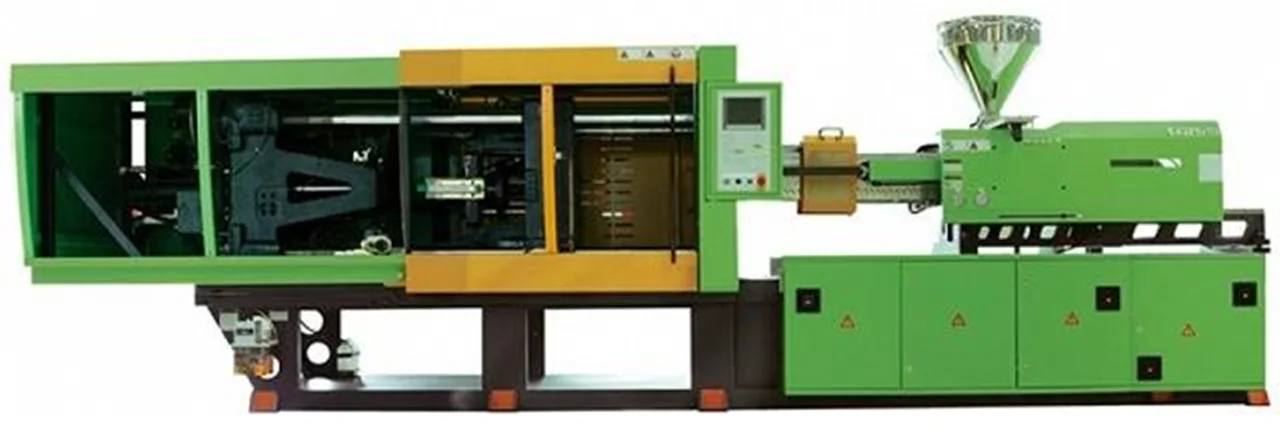
  • بخش های تشکیل دهنده دستگاه تزریق پلاستیک
  • واحد تزریق
  • واحد قفل كننده قالب
  • مشخصات ماشین های تزریق
  • ظرفیت تزریق
  • تناژ قفل كردن قالب
  • امتيازات شيوه تزريق پلاستيک
  • محدوديت های شيوه تزريق پلاستيک
  • ساختمان عمومي قالب هاي تزريق
  • محفظه
  • صفحات حفره اي و ماهيچه اي
  • بوش تزريق
  • سيستم راهگاه و ورودي
  • حلقه تنظيم
  • ميله ها و بوش هاي راهنما
  • بوش راهنما
  • میله راهنما
  • اتصالات صفحات قالب
  • سیستم پران
  • شبکه پران
  • مجموعه صفحه پران
  • صفحه پران
  • صفحه نگهدارنده پران‌ها
  • سیستم برگشت مجموعه صفحه پران
  • انواع روش‌های پران
  • دستور العمل نگهداری و تعمیرات قالب های تزریق پلاستیک
  • عوامل تأثيرگذار در تعمير و نگهداري
  • جنس قالب (مواد قالب گيري)
  • جنس قطعه توليدي
  • پيچيدگي قالب
  • بكارگيري ناصحيح
  • انواع بازرسي و تعميرات قالب
  • بازرسي روزانه
  • بازرسي‌هاي دوره‌اي
  • تعميرات عمومي
  • تعميرات اساسي
  • چك ليست بازرسي قالب

فصل سوم: مراحل طراحی لولای پلاستیکی در نرم افزار کتیا

  • ورود به محیط پارت
  • وارد شدن به محیط اسکچ
  • شروع کار در پارت
  • اجرای دستور پد و ایجاد بدنه لولا
  • اجرای دستور پاکت
  • اجرای دستور Chamfer و ایجاد کردن سطوح شیب دار
  • طراحي پره های لولا به كمك محیط Genarative Shape Design
  • استفاده از دستور Edge fillet براي ايجاد سطحوح مدور در گوشه هاي كار

فصل چهارم: آنالیز قطعه به وسیله نرم افزار مولد فلو

  • مقدمه
  • وارد کردن قطعه به نرم افزار مولد فلو
  • مش بندی مدل
  • تعیین سکانس آنالیز
  • انتخاب نوع پلاستیک تزریقی
  • اجرای آنالیز مكان بهينه دريچه تزريق
  • انجام آنالیز مكان بهينه دريچه تزريق
  • ورودی‌های مورد نیاز
  • بررسی نتایج آنالیز مكان بهينه دريچه تزريق
  • ایجاد سیستم تغدیه
  • ایجاد سیستم خنک کاری
  • اجرای آنالیز
  • مشخصات ماشین تزریق، دمای مذاب و دمای قالب
  • گزارش زمان پرشدن
  • فشار در لحظه تغییر فاز سرعت به فشار
  • دماهای عمده
  • نرخ برش عمده
  • گراف فشار در محل تزریق
  • انقباض حجمی
  • گزارش مربوط به زمان انجماد (بدون خنک کاری)
  • گزارش نیروی کلمپ
  • گزارش فشار
  • گزارش مربوط به فشار در پایان تزریق
  • دمای عمده در انتهای پرشدن
  • درصد لایه منجمد در پایان تزریق
  • سرعت متوسط
  • تنش برشی در دیواره
  • محل های ایجاد فرورفتگی در قطعه
  • مبدا حرکت
  • مرکز اثر نیروی کلمپ
  • خطوط جوش
  • تله‌های هوا
  • دمای سیال خنک کن
  • دمای سطح فلز در مدار خنک کاری
  • دمای قطعه در سطح فوقانی
  • دما در سطح راهگاه سرد
  • زمان انجماد قطعه (همراه خنک کاری)
  • تصاویر مربوط به اعوجاج در جهات مختلف قطعه

فصل پنجم: طراحی قالب تزریق پلاستیک

  • ایجاد سطوح جدایش، سمت سنبه، ماتریس و قسمت کشویی
  • تهیه قالب قطعه با استفاده از محیط مولد تولینگ دیزاین
  • مقدمه
  • فراخوانی بلوک خام قالب
  • تعیین موقیعت قطعه در قالب
  • بریدن صفحات قالب توسط صفحات جدایش و ایجاد شکل قطعه در قالب
  • ایجاد اجزای قالب
  • ایجاد پین های راهنما
  • ایجاد پیچ های بستن قالب
  • ایجاد پین های پران
  • ایجاد ورودی تزریق (اسپرو بوش)
  • ایجاد سیستم خنک کاری
  • اضافه کردن بوش به پین های راهنما
  • ایجاد مکانیزم کشویی در قالب

فصل ششم: نتیجه گیری

  • منابع و مراجع

در این پروژه طراحی قطعه و قالب آن در نرم افزار کتیا و همچنین تحلیل و آنالیز قطعه و قالب آن در نرم افزار مولدفلو به صورت قدم به قدم آموزش داده می شود. لذا این پروژه می تواند به عنوان یک منبع قوی درسی جهت آموزش طراحی و تحلیل قالب به کمک نرم افزار CATIA و MoldFlow  توسط دانشجویان در دانشگاه استفاده گردد.

جهت دانلود پروژه طراحی قالب تزریق پلاستیک لولا به کمک نرم افزار CATIA و تحلیل آن به وسیله نرم افزار MoldFlow برلینک زیر کلیک نمایید:


پروژه طراحی قالب تزریق پلاستیک لولا با CATIA و تحلیل آن با نرم افزار MoldFlow


www.BartarFile.ir بازدید : 546 دوشنبه 16 فروردین 1395 نظرات (0)


CATIA V6 کتیا ورژن 6 آخرین نسخه از نرم افزار کتیا می باشد که تا به حال به بازار جهانی ارائه شده است که به صورت گسترده در بازار ایران به فروش می رسد، ولی متاسفانه نسخه اصلی نبوده یا به عبارتی (‍Crack) ندارد و به دليل پيروي از سيستم شبكه اي و ماتريسي قابليت باز كردن (OPEN) و ذخيره سازي (SAVE) فايل هاي طراحي شده را ندارد و عملا غیر قابل استفاده می باشند. این نسخه به علت  پیروی از سیستم شبکه ای برای کارهای کوچک تهیه نشده از این جهت استفاده از آن برای طراحی قطعات برای شرکت های کوچک، افراد عادی و استفاده کننده های خانگی غیر ممکن می باشد. علت ارائه نرم افزار CATIA V6 بدین شکل بنا به سفارش شرکت های بزرگی می باشد که امنیت فایل های خود را به عنوان مهم ترین رکن کاری در مجموعه های خود قرار داده اند. شرکت Dassult سیستم، کماکان نسخه CATIA V5 را همگام با CATIA V6 به روز رسانی می نماید تا مشتریانی که نیازی به کنترل شدید فایل های خروجی نرم افزار را ندارند به راحتی از نسخه CATIA V5 استفاده نمایند.

کتیا CATIA V6 از لحاظ نوع و کارائی ابزار تفاوتی عمده ای با ورژن قبل ندارد اما در یک مجموعه بزرگ به علت سازگاري بهتر با مديريت چرخه توليد (PLM) نسبت به نسخه هاي قبل برای بالا بردن سرعت و راندمان کاری پيشنهاد مي شود نسخه جدید را مورد استفاده قرار گیرد. ولی برای شرکت های طراحی قطعات، شرکت های کوچک، استفاده کنندگان خانگی و نوآموزان نسخه های CATIA V5 پیشنهاد مناسب تری است.

کتاب آموزش نکات ضروری در CATIA V6، یکی از کتاب های مفید و کاربردی در زمینه آموزش نکات ضروری و مهم در نرم افزار کتیا ورژن 6 می باشد. این کتاب مشتمل بر 305 صفحه، 6 فصل، به زبان انگلیسی روان، تایپ شده، به همراه تصاویر رنگی، با فرمت PDF، به ترتیب زیر گردآوری شده است:

Chapter 1: Getting Started with CATIA V6

Key Enhancements in CATIA V6
 Installing CATIA V6
 Opening CATIA V6
 Starting a Workbench in CATIA V6
Exploring the CATIA V6 User Interface
Summary

Chapter 2: Sketcher Workbench

Invoking the Sketcher Workbench
 Drawing Shapes Using the Sketcher Workbench
 Editing and Modifying Sketches
 Working with Constraints on Sketches
Summary

Chapter 3: Part Design Workbench

Using Sketch-Based Features
 Using Dress-Up Features
 Using Transformation Features
 Inserting Additional Bodies into Solid Models
Summary

Chapter 4: Assembly Design Workbench

Creating an Assembly
 Working with Assembly Components
 Using Assembly Features
Summary

Chapter 5: Wireframe and Surface Design Workbench

Creating Wireframe Elements
 Creating Surfaces
Summary

Chapter 6: Generative Sheet Metal Design Workbench

Creating Sheet Metal Walls
 Bending Sheet Metal Walls
 Cutting Sheet Metal Walls
Summary

جهت دانلود کتاب آموزش نکات ضروری در CATIA V6 برلینک زیر کلیک نمایید:


آموزش کتیا، کتاب آموزش نکات ضروری در CATIA V6


www.BartarFile.ir بازدید : 359 دوشنبه 16 فروردین 1395 نظرات (0)

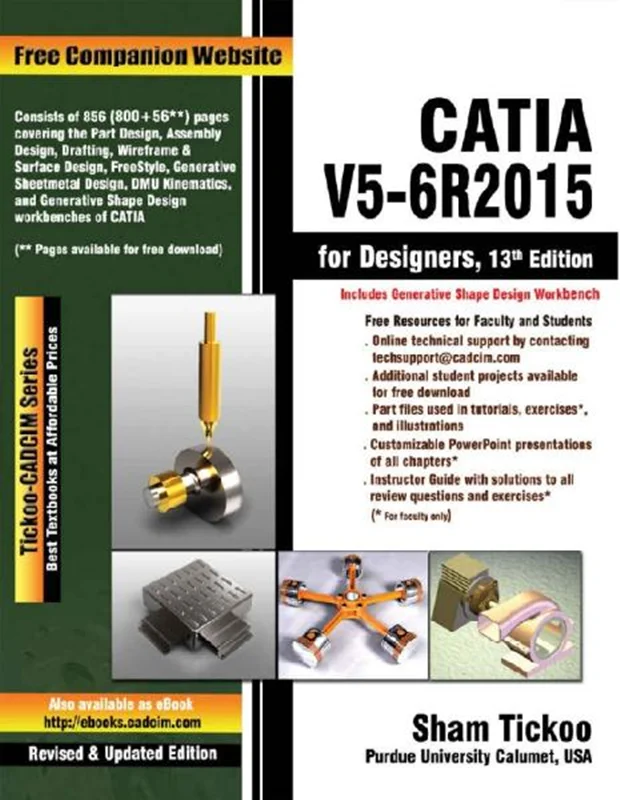
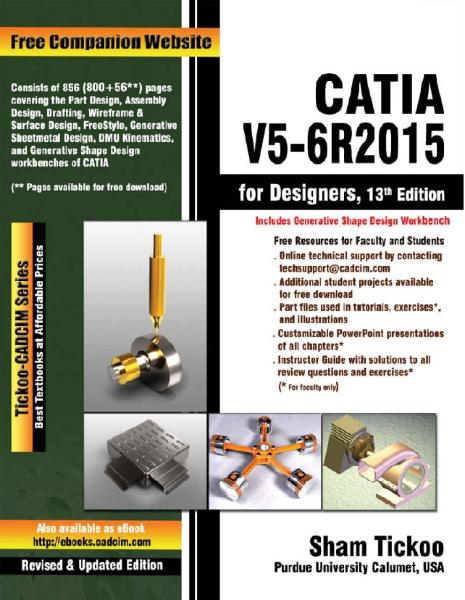
کتاب آموزش و تمرین کتیا (CATIA V5-6 R2015)، یکی از کتاب های مرجع و کاربردی در زمینه آموزش محیط های دوبعدی (Sketcher)، سه بعدی (Part Design)، مونتاژ (Assembly Design)، نقشه کشی صنعتی (Drafting)، ورقکاری (Generative Sheet Metal Design)، سطح سازی (Wireframe & Surface Design)، شبیه سازی مکانیزم ها (DMU Kinematics) و محیط ایجاد حجم از روی تصاویر (Free Style) نرم افزار کتیا می باشد. نکته قابل توجه در این کتاب این است که تمامی فرامین و دستورات محیط کتیا در قالب مثال آموزش داده می شود. این کتاب مشتمل بر 1137 صفحه، 17 فصل، به زبان انگلیسی روان، تایپ شده، به همراه تصاویر رنگی، با فرمت PDF، به ترتیب زیر گردآوری شده است:

Chapter 1: Introduction to CATIA V5-6R2015

Introduction to CATIA V5-6R2015
CATIA V5 Workbenches
System Requirements
Getting Started with CATIA V5-6R2015
Important Terms and Definitions
Understanding the Functions of the Mouse Buttons in CATIA
Toolbars
Hot Keys
Color Scheme
Self-Evaluation Test
Review Questions

Chapter 2: Drawing Sketches in the Sketcher Workbench-I

The Sketcher Workbench
Starting a New File
Invoking the Sketcher Workbench
Invoking the Sketcher Workbench Using the Sketch Tool
Invoking the Sketcher Workbench Using the Positioned Sketch Tool
Setting the Sketcher Workbench
Modifying Units
Modifying the Grid Settings
Understanding Sketcher Terms
Specification Tree
Grid
Snap to Point
Construction/Standard Element
Select Toolbar
Inferencing Lines
Drawing Sketches Using Sketcher Tools
Drawing Lines
Drawing Center Lines
Drawing Rectangles, Oriented Rectangles, and Parallelograms
Drawing Rectangles
Creating Points
Drawing Circles
Drawing Arcs
Drawing Profiles
Drawing Display Tools
Fit All In
Pan
Zoom In
Zoom Out
Zoom Area
Normal View
Create Multiview
Hide/Show Geometric Elements
Swap Visible Space
Tutorial 1
Tutorial 2
Tutorial 3
Tutorial 4
Self-Evaluation Test
Review Questions
Exercise 1
Exercise 2
Exercise 3
Exercise 4

Chapter 3: Drawing Sketches in the Sketcher Workbench-II

Other Sketching Tools in the Sketcher Workbench
Drawing Conics
Drawing Splines
Connecting Two Elements by a Spline or an Arc
Drawing Elongated Holes
Drawing Cylindrical Elongated Holes
Drawing Keyhole Profiles
Drawing Polygons
Drawing Centered Rectangles
Drawing Centered Parallelograms
Editing and Modifying Sketches
Trimming Unwanted Sketched Elements
Extending Sketched Elements
Breaking Elements
Closing Elements
Trimming by Using the Quick Trim Tool
Filleting Sketched Elements
Creating a Tangent Arc
Chamfering Sketched Elements
Mirroring Sketched Elements
Mirroring Elements without Duplication
Translating Sketched Elements
Rotating Sketched Elements
Scaling Sketched Elements
Offsetting Sketched Elements
Modifying Sketched Elements
Deleting Sketched Elements
Tutorial 1
Tutorial 2
Tutorial 3
Self-Evaluation Test
Review Questions
Exercise 1
Exercise 2
Exercise 3
Exercise 4
Exercise 5

Chapter 4: Constraining Sketches and Creating Base Features

Constraining Sketches
Concept of Constrained Sketches
Iso-Constraint
Under-Constraint
Over-Constrained
Inconsistent
Not Changed
Applying Constraints
Applying Geometrical Constraints Automatically
Applying Additional Constraints to the Sketch
Applying Dimensional Constraints
Applying Contact Constraints
Applying Fix Together Constraints
Applying Auto Constraints
Animate Constraints
Editing Multiple Dimensions
Analyzing and Deleting Over-Defined Constraints
Analyzing Sketch using the Sketch Analysis Tool
Exiting the Sketcher Workbench
Creating Base Features by Extrusion
Creating a Thin Extruded Feature
Extruding the Sketch Using the Profile Definition Dialog Box
Extruding the Sketch along a Directional Reference
Creating Base Features By Revolving Sketches
Creating Thin Shaft Features
Dynamically Rotating the View of the Model
Rotating the View Using the Rotate Tool
Rotating the View Using the Compass
Modifying the View Orientation
Display Modes of the Model
Shading (SHD)
Shading with Edges
Shading with Edges without Smooth Edges
Shading with Edges and Hidden Edges
Shading with Material
Wireframe (NHR)
Customize View Parameters
Creating Sections Dynamically
Maneuvering the Section Plane
Position of Section Planes
Assigning a Material to the Model
Tutorial 1
Tutorial 2
Self-Evaluation Test
Review Questions
Exercise 1
Exercise 2
Exercise 3
Exercise 4

Chapter 5: Reference Elements and Sketch-Based Features

Importance of Sketching Planes
Reference Elements
Reference Planes
Creating New Planes
Creating Points
Creating Reference Lines
Other Sketch-Based Features
Creating Drafted Filleted Pad Features
Creating Multi-Pad Features
Feature Termination Options
Creating Pocket Features
Creating Drafted Filleted Pocket Features
Creating Multi-Pocket Features
Creating Groove Features
Extruding and Revolving Planar and Non-planar Faces
Projecting 3D Elements
Tutorial 1
Tutorial 2
Tutorial 3
Tutorial 4
Tutorial 5
Self-Evaluation Test
Review Questions
Exercise 1
Exercise 2
Exercise 3
Exercise 4

Chapter 6: Creating Dress-Up and Hole Features

Advanced Modeling Tools
Creating Hole Features
Creating Fillets
Creating Chamfers
Adding a Draft to the Faces of the Model
Creating a Shell Feature
Adding Thickness
Removing Faces
Replacing Faces
Tutorial 1
Tutorial 2
Self-Evaluation Test
Review Questions
Exercise 1
Exercise 2
Exercise 3

Chapter 7: Editing Features

Editing Features of a Model
Editing Using the Definition Option
Editing by Double-Clicking
Editing the Sketch of a Sketch-Based Feature
Redefining the Sketch Plane of Sketches
Deleting Unwanted Features
Managing Features and Sketches by using the Cut, Copy, and Paste Functionalities
Understanding the Concept of Update Diagnosis
Cut, Copy, and Paste Features and Sketches
Copying Features Using Drag and Drop
Copying and Pasting PartBodies
Deactivating Features
Activating Deactivated Features
Defining Features in Work Object
Reordering Features
Understanding the Parent-Child Relationships
Measuring Elements
Measuring between Elements
Measuring Items
Measuring Inertia
Tutorial 1
Tutorial 2
Tutorial 3
Self-Evaluation Test
Review Questions
Exercise 1
Exercise 2
Exercise 3

Chapter 8: Transformation Features and Advanced Modeling Tools-I

Transformation Features
Translating the Bodies
Rotating the Bodies
Creating the Symmetry Features
Transforming the Axis System
Mirroring the Features and Bodies
Creating Rectangular Patterns
Creating Circular Patterns
Creating User Patterns
Uniform Scaling of Models
Non-uniform Scaling of Models
Working with Additional Bodies
Inserting a New Body
Inserting Features in the New Body
Applying Boolean Operations to Bodies
Adding Stiffeners to a Model
Generating Solid Combine
Tutorial 1
Tutorial 2
Self-Evaluation Test
Review Questions
Exercise 1
Exercise 2
Exercise 3

Chapter 9: Advanced Modeling Tools-II

Advanced Modeling Tools
Creating Rib Features
Creating Slot Features
Creating Multi-Sections Solid Features
Creating the Multi-Section Solid Cut Feature
Tutorial 1
Tutorial 2
Tutorial 3
Tutorial 4
Self-Evaluation Test
Review Questions
Exercise 1
Exercise 2

Chapter 10: Working with the Wireframe and Surface Design Workbench

Need of Surface Modeling
Wireframe and Surface Design Workbench
Starting the Wireframe and Surface Design Workbench
Creating Wireframe Elements
Creating Circles
Creating Splines
Creating a Helix
Creating Surfaces
Creating Extruded Surfaces
Creating Revolved Surfaces
Creating Spherical Surfaces
Creating Cylindrical Surfaces
Creating Offset Surfaces
Creating Sweep Surfaces
Creating Fill Surfaces
Creating Multi-Section Surfaces
Creating Blended Surfaces
Operations on Shape Geometry
Joining Surfaces
Splitting Surfaces
Trimming Surfaces
Tutorial 1
Tutorial 2
Self-Evaluation Test
Review Questions
Exercise 1
Exercise 2

Chapter 11: Editing and Modifying Surfaces

Surface Operations
Creating Projection Curves
Creating Intersection Elements
Healing Geometries
Disassembling Elements
Untrimming a Surface or a Curve
Creating Boundary Curves
Extracting Geometry
Transformation
Extrapolating Surfaces and Curves
Splitting a Solid Body with a Surface
Solidifying Surface Models
Adding Thickness to a Surface
Creating a Solid Body from a Closed Surface Body
Sewing a Surface to a Solid Body
Tutorial 1
Tutorial 2
Self-Evaluation Test
Review Questions
Exercise 1

Chapter 12: Assembly Modeling

Assembly Modeling
Types of Assembly Design Approaches
Creating Bottom-up Assemblies
Inserting Components in a Product file
Moving Individual Components
Applying Constraints
Creating Top-down Assemblies
Creating Base Part in the Top-Down Assembly
Creating Subsequent Components in the Top-Down Assembly
Creating Subassemblies in the Top-Down Assembly
Editing Assemblies
Deleting Components
Replacing Components
Editing Components Inside an Assembly
Editing Subassemblies Inside an Assembly
Editing Assembly Constraints
Simplifying the Assembly
Interference Detection
Sectioning an Assembly
Exploding an Assembly
Tutorial 1
Tutorial 2
Self-Evaluation Test
Review Questions
Exercise 1

Chapter 13: Working with the Drafting Workbench-I

The Drafting Workbench
Starting a New File in the Drafting Workbench
Type of Views
Generating Drawing Views
Generating Views Automatically
Generating Individual Drawing Views
Generating the Exploded View
Working with Interactive Drafting in CATIA V5
Editing and Modifying Drawing Views
Changing the Scale of Drawing Views
Modifying the Project Plane of the Parent View
Deleting Drawing Views
Rotating Drawing Views
Hiding Drawing Views
Modifying the Hatch Pattern of Section Views
Tutorial 1
Tutorial 2
Self-Evaluation Test
Review Questions
Exercise 1

Chapter 14: Working with the Drafting Workbench-II

Inserting Sheets in the Current File
Inserting the Frame and the Title Block
Automatic Insertion of the Frame and the Title Block
Creating the Frame and the Title Block Manually
Adding Annotations to the Drawing Views
Generating Dimensions
Adding Reference Dimensions
Adding Datum Features
Adding Geometric Tolerance to the Drawing Views
Adding Surface Finish Symbols
Adding Welding Symbols
Applying Weld
Editing Annotations
Generating the Bill of Material (BOM)
Generating Balloons
Tutorial 1
Tutorial 2
Self-Evaluation Test
Review Questions
Exercise 1

Chapter 15: Working with Sheet Metal Components

The Sheet metal Component
Starting a New File in Generative Sheet Metal Workbench
Setting Sheet Metal Parameters
Parameters Tab
Bend Extremities Tab
Bend Allowance Tab
Introduction to Sheet Metal Walls
Creating the Base Wall
Creating the Wall On Edge
Creating Extrusions
Creating Swept Walls
Creating Flanges on the Sheet Metal Component
Creating Hems on the Sheet Metal Component
Creating a Tear Drop on the Sheet Metal Component
Creating a User Flange on the Sheet Metal Component
Creating a Bend
Creating a Conical Bend
Bend From Flat
Creating Rolled Walls
Creating a Hopper Wall
Creating a Rolled Wall
Folding and Unfolding Sheet Metal Parts
Unfolding Sheet Metal Parts
Folding Unfolded Parts
Mapping the Geometry
Creating Flat Patterns of Sheet Metal Components
Viewing a Sheet Metal Component in Multiple Windows
Using Views Management
Stamping
Creating a Surface Stamp
Creating a Bead Stamp
Creating a Curve Stamp
Creating a Flanged Cut Out Stamp
Creating a Louver Stamp
Creating a Bridge Stamp
Creating a Flanged Hole Stamp
Creating a Circular Stamp
Creating a Stiffening Rib Stamp
Creating a Dowel Stamp
Tutorial 1
Tutorial 2
Tutorial 3
Tutorial 4
Self-Evaluation Test
Review Questions
Exercise 1

Chapter 16: DMU Kinematics

Introduction to DMU Kinematics
Designing a Mechanism
Creating the Revolute Joint
Creating the Prismatic Joint
Creating the Cylindrical Joint
Creating the Screw Joint
Creating the Rigid Joint
Creating the Spherical Joint
Creating the Planar Joint
Creating the Point Curve Joint
Creating the Slide Curve Joint
Creating the Roll Curve Joint
Creating the Point Surface Joint
Creating the Universal Joint
Creating the CV Joint
Creating the Gear Joint
Creating the Rack Joint
Creating the Cable Joint
Converting Assembly Constraints into Joints
Tutorial 1
Tutorial 2
Tutorial 3
Tutorial 4
Tutorial 5
Self-Evaluation Test
Review Questions
Exercise 1
Exercise 2

Chapter 17: Working with the FreeStyle Workbench

The FreeStyle Workbench
Starting a New FreeStyle File
Setting the FreeStyle Workbench
Creating Surfaces
Patches Sub-toolbar
Extrude Surface
Revolve
Offset
Styling Extrapolate
FreeStyle Blend Surface
Styling Fillet
Fills Sub-toolbar
Net Surface
Styling Sweep
Modifying Surfaces
Symmetry
Control Points
Match
Tutorial 1
Self-Evaluation Test
Review Questions
Exercise 1
جهت دانلود کتاب آموزش و تمرین کتیا (CATIA V5-6 R2015) برلینک زیر کلیک نمایید:


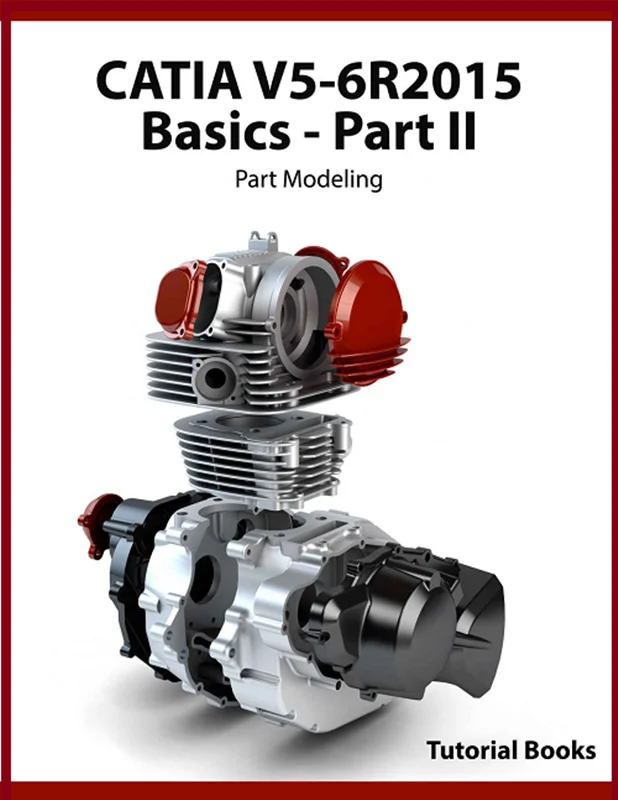
آموزش کتیا، کتاب آموزش و تمرین کتیا (CATIA V5-6 R2015)


تعداد صفحات : 14

درباره ما
Profile Pic
فروشگاه برتر فایل یک سایت مرجع با هدف انتشار تحقیق، مقاله، پایان نامه، پاورپوینت، جزوه، کتاب و همچنین فایل های آموزشی از نرم افزار پیشرفته CATIA در زمینه رشته مهندسی مکانیک است که به منظور دسترسی راحت تر، سریع تر و ارزان تر شما دانشجویان و پژوهشگران به تحقیقات مد نظرتان تاسیس شده است. جهت دریافت فایل کامل هر عنوان کافی است به سایت اصلی فروشگاه به آدرس: www.bartarfile.ir
اطلاعات کاربری
  • فراموشی رمز عبور؟
  • آمار سایت
  • کل مطالب : 1028
  • کل نظرات : 15
  • افراد آنلاین : 1
  • تعداد اعضا : 27
  • آی پی امروز : 80
  • آی پی دیروز : 120
  • بازدید امروز : 2,069
  • باردید دیروز : 2,610
  • گوگل امروز : 8
  • گوگل دیروز : 16
  • بازدید هفته : 5,452
  • بازدید ماه : 14,688
  • بازدید سال : 70,458
  • بازدید کلی : 1,178,628
  • کدهای اختصاصی