loading...
برترفایل
www.BartarFile.ir بازدید : 396 جمعه 04 تیر 1395 نظرات (0)

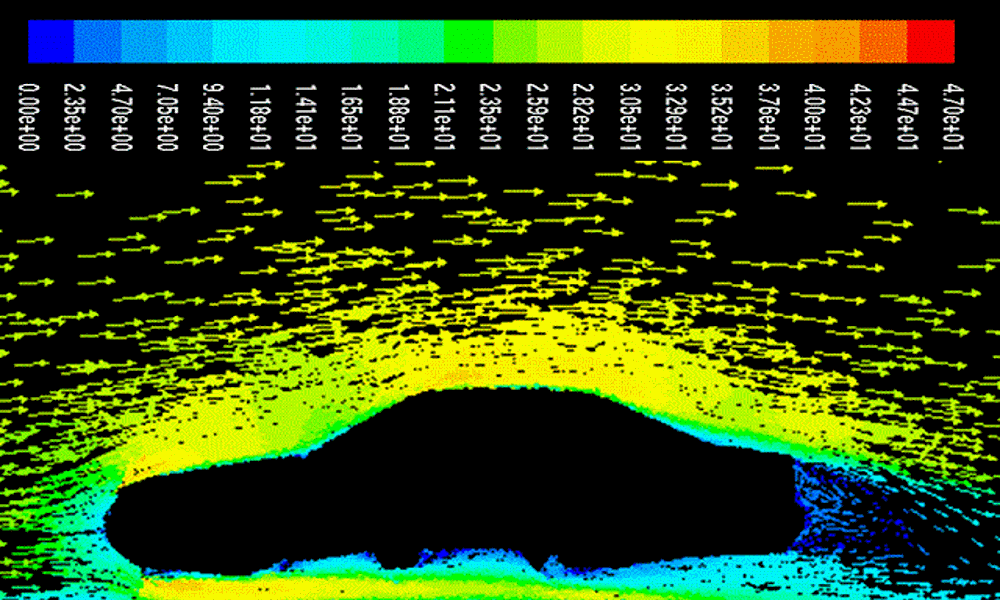
فلوئنت (Fluent) یک نرم‌افزار مهندسی به کمک رایانه (CAE) در زمینه دینامیک سیالات محاسباتی (CFD) برای مدل کردن جریان سیال و انتقال حرارت در هندسه‌های پیچیده می‌باشد. این نرم‌افزار امکان تغییر شبکه، به صورت کامل و تحلیل جریان با شبکه‌های غیرساخت‌یافته برای هندسه‌های پیچیده را فراهم می‌سازد. نوع مش‌های قابل تولید و دریافت توسط این گروه نرم‌افزاری شامل شبکه‌هایی با المان‌های مثلثی و چهارضلعی (برای هندسه‌های دوبعدی) و چهاروجهی، شش وجهی، هرمی یا گوه‌ای (برای هندسه‌های سه‌بعدی) می‌باشد. همچنین فلوئنت به کاربر اجازهٔ بهبود شبکه (مثلا ریز کردن یا درشت کردن شبکه در مرزها و مکان‌های لازم در هندسه) را می‌دهد. برای استفاده از این نرم افزار، ابتدا باید توسط یک نرم افزار کمکی مانند Gambit یا Mechanical Desktop هندسه جریان را مشخص کنید و عمل مش بندی را انجام دهید. به عبارت ساده تر، شما برای استفاده بهینه از نرم افزار فلوئنت، باید هر سه نرم افزار نام برده را نصب کنید. نرم افزار Gambit یک نرم افزار طراحی (CAD) می باشد که ورودی نرم افزار فلوئنت (Fluent) را با فرمت msh آماده می سازد. جهت استفاده از این نرم افزار نیاز به نرم افزار Exceed می باشد. Exceed نرم افزاری مدیریتی است که با اکسپلورر ویندوز تلفیق و امکان دسترسی ساده و سریع به پروفایل ها، پوشه‌ها و اسناد نرم افزارهای Fluent و Gambit را می‌دهد.

کتاب آموزش مدل سازی جریان سیال و انتقال حرارت در هندسه‌های پیچیده با نرم افزار FLUENT 6.3، کامل ترین کتاب در زمینه آموزش نرم افزار تحلیلی فلوئنت می باشد. این کتاب مشتمل بر 31 فصل، 2502 صفحه، به زبان انگلیسی روان، تایپ شده، به همراه کلی تصاویر رنگی، با فرمت PDF، به ترتیب زیر گردآوری شده است:

Chapter 1: Starting and Executing FLUENT

  • Starting FLUENT
  • Executing FLUENT Remotely
  • Running FLUENT in Batch Mode
  • Check pointing a FLUENT Simulation
  • Cleaning Up Processes From a FLUENT Simulation
  • Exiting the Program

Chapter 2: Graphical User Interface - GUI

  • GUI Components
  • Customizing the Graphical User Interface (UNIX Systems Only)
  • Using the GUI Help System

Chapter 3: Text User Interface - TUI

  • Text Menu System
  • Text Prompt System
  • Interrupts
  • System Commands
  • Text Menu Input from Character Strings
  • Using the Text Interface Help System

Chapter 4: Reading and Writing Files

  • Shortcuts for Reading and Writing Files
  • Reading Mesh Files
  • Reading and Writing Case and Data Files
  • Reading FLUENT/UNS and RAMPANT Case and Data Files
  • Reading and Writing Prole Files
  • Reading and Writing Boundary Conditions
  • Writing a Boundary Grid
  • Reading Scheme Source Files
  • Creating and Reading Journal Files
  • Creating Transcript Files
  • Importing Files
  • Exporting Files
  • Grid-to-Grid Solution Interpolation
  • Saving Hardcopy Files
  • Saving the Panel Layout
  • The .fluent File

Chapter 5: Unit Systems

  • Restrictions on Units
  • Units in Grid Files
  • Built-In Unit Systems in FLUENT
  • Customizing Units

Chapter 6: Reading and Manipulating Grids

  • Grid Topologies
  • Grid Requirements and Considerations
  • Grid Import
  • Non-Conformal Grids
  • Checking the Grid
  • Reporting Grid Statistics
  • Converting the Grid to a Polyhedral Mesh
  • Modifying the Grid

Chapter 7: Boundary Conditions

  • Overview of Dening Boundary Conditions
  • Flow Inlet and Exit Boundary Conditions
  • Pressure Inlet Boundary Conditions
  • Velocity Inlet Boundary Conditions
  • Mass Flow Inlet Boundary Conditions
  • Inlet Vent Boundary Conditions
  • Intake Fan Boundary Conditions
  • Pressure Outlet Boundary Conditions
  • Pressure Far-Field Boundary Conditions
    Out flow Boundary Conditions
  • Outlet Vent Boundary Conditions
  • Exhaust Fan Boundary Conditions
  • Wall Boundary Conditions
  • Symmetry Boundary Conditions
  • Periodic Boundary Conditions
  • Axis Boundary Conditions
  • Fluid Conditions
  • Solid Conditions
  • Porous Media Conditions
  • Fan Boundary Conditions
  • Radiator Boundary Conditions
  • Porous Jump Boundary Conditions
  • Non-Reflecting Boundary Conditions
  • User - Defined Fan Model
  • Heat Exchanger Models
  • Boundary Profiles
  • Fixing the Values of Variables
  • Defining Mass, Momentum, Energy, and Other Sources
  • Coupling Boundary Conditions with GT-Power
  • Coupling Boundary Conditions with WAVE

Chapter 8: Physical Properties

  • Defining Materials
  • Defining Properties Using Temperature-Dependent Functions
  • Density
  • Viscosity
  • Thermal Conductivity
  • User-Defined Scalar (UDS) Diffusivity
  • Specific Heat Capacity
  • Radiation Properties
  • Mass Diffusion Coefficients
  • Standard State Enthalpies
  • Standard State Entropies
  • Molecular Heat Transfer Coefficient
  • Kinetic Theory Parameters
  • Operating Pressure
  • Reference Pressure Location
  • Real Gas Models

Chapter 9: Modeling Basic Fluid Flow

  • Overview of Physical Models in FLUENT
  • Continuity and Momentum Equations
  • User-Dened Scalar (UDS) Transport Equations
  • Periodic Flows
  • Swirling and Rotating Flows
  • Compressible Flows
  • Inviscid Flows

Chapter 10: Modeling Flows with Rotating Reference Frames
جهت دانلود کتاب آموزش مدل سازی جریان سیال و انتقال حرارت در هندسه‌های پیچیده با نرم افزار FLUENT 6.3 بر لینک زیر کلیک نمایید:


آموزش فلوئنت، کتاب آموزش مدل سازی جریان سیال و انتقال حرارت در هندسه‌های پیچیده با نرم افزار FLUENT 6.3


آموزش فلوئنت، کتاب آموزش مدل سازی جریان سیال و انتقال حرارت در هندسه‌های پیچیده با نرم افزار FLUENT 6.3

www.BartarFile.ir بازدید : 392 جمعه 04 تیر 1395 نظرات (0)

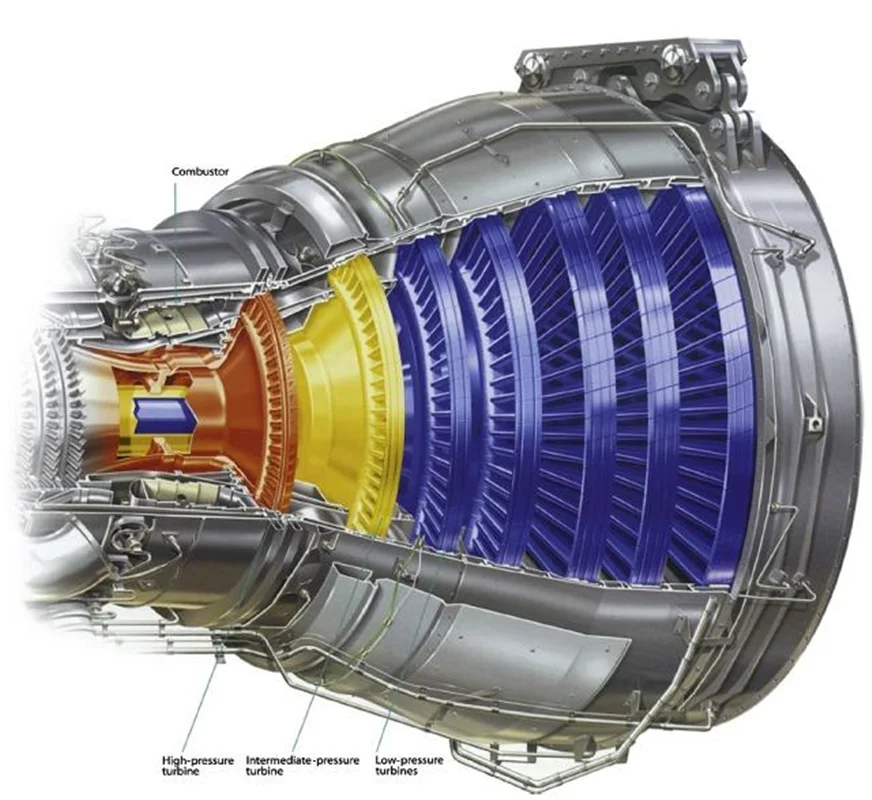
کتاب مرجع توربین های گازی با کاربردهای زمینی، دریایی و هوایی (Gas Turbine Handbook)، با پوشش نظریه، قطعات، نصب و راه‌اندازی، تعمیر و نگهداری،‌ ساخت، ‌تنظیم و تحولات صنعتی، یک منبع مقدماتی گسترده‌ای است که برای ارائه دانش مورد نیاز شما جهت موفقیت در صنعت توربین گاز، کاربردهای زمینی، دریایی و هوایی طراحی شده است.

این کتاب با بازبینی‌های مختصر و قابل درک از تمام اصول نظری مهم و تمرکز کاربردی در سرتاسر آن، یک هندبوک ایده‌ای برای افرادی که در این رشته تازه‌کار هستند یا گام‌های اولیه در شغل‌شان را بر می‌دارند،‌ همچنین مهندسان با تجربه بیشتر، که به دنبال مرجع قابل اعتماد و جامعی هستند که وسعت این زمینه را پوشش دهد می‌باشد. این کتاب جامع مشتمل بر 995 صفحه، در 20 فصل، به زبان انگلیسی، همراه با تصاویر به ترتیب زیر گردآوری شده است:

Chapter 1: An Introduction and Applications

Chapter 2: Historical Development of the Gas Turbine

Chapter 3: Gas Turbine Configurations and Heat Cycles

Chapter 4: Gas Turbine Major Components and Module

Chapter 5: Cooling and Load Bearing Systems

Chapter 6: Inlets, Exhausts, and Noise Suppression

Chapter 7: Gas Turbine Fuel Systems and Fuels

Chapter 8: Accessory Systems

Chapter 9: Controls, Instrumentation, and Diagnostics (CID)

Chapter 10: Performance, Performance Testing, and Performance Optimization

Chapter 11: Gaseous Emissions and the Environment

Chapter 12: Maintenance, Repair, and Overhaul

Chapter 13: Installation

Chapter 14: The Business of Gas Turbines

Chapter 15: Manufacturing, Materials, and Metallurgy

Chapter 16: Micro turbines, Fuel Cells, and Hybrid Systems

Chapter 17: Training and Education

Chapter 18: Future Trends in the Gas Turbine Industry

Chapter 19: Basic Design Theory

Chapter 20: Additional References and Appendix for Unit Conversion

جهت دانلود کتاب مرجع توربین های گازی با کاربردهای زمینی، دریایی و هوایی (Gas Turbine Handbook)، بر لینک زیر کلیک نمایید:


کتاب مرجع توربین های گازی با کاربردهای زمینی، دریایی و هوایی (Gas Turbine Handbook)


www.BartarFile.ir بازدید : 411 شنبه 29 خرداد 1395 نظرات (0)

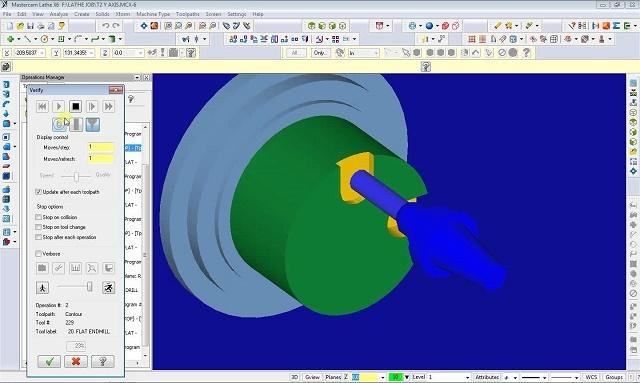
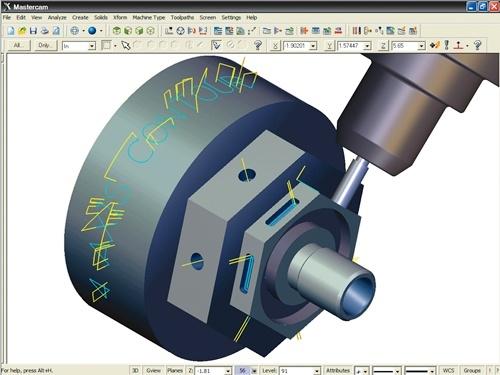
MasterCam یکی از نرم افزارهای کمپانی CNC Software در زمینه طراحی ابزارهای ماشینی و ماشین آلات مربوطه در تولید قطعات صنعتی است که با هدف مطرح شدن به عنوان یکی از بهترین نرم افزارهای موجود در زمینه طراحی CAD/CAM تولید شده است. در واقع MasterCam یک برنامه نرم افزاری ساخت به کمک رایانه یا کَم (CAM) می باشد که توسط برنامه نویسان CNC و مهندسین مکانیک فعال در زمینه ماشینکاری قطعات مورد استفاده قرار می گیرد. این نرم افزار مانند دیگر برنامه های طراحی مهندسی (CAD) به حرفه ای های دنیای صنعت فرز، تراشکاری، برش کاری و ماشین کاری کمک می کند تا به مدلسازی جامدات و سطوح و طراحی دو بعدی/سه بعدی اجزای مکانیکی و قطعات صنعتی و سپس برش دادن و یا ماشین کاری بر روی قطعات صنعتی پرداخته و عملکرد آن ها را بررسی نمایند.

قابلیت های کلیدی نرم افزار MasterCam عبارتند از:

  •  CAD برای برنامه نویسان CAM
  • طراحی دو بعدی و سه بعدی قطعات صنعتی
  • ابزارهای مدلسازی جامدات و سطوح
  • دارای امکانات و ابزارهای لازم زمینه طراحی و ماشینکاری CAD/CAM
  • برش بر روی قطعات، ماشین کاری بر روی قطعات صنعتی
  • پیش نمایش و ویرایش آسان مدل ها و طرح ها
  • ساخت قطعات با کیفیت بالا و ...

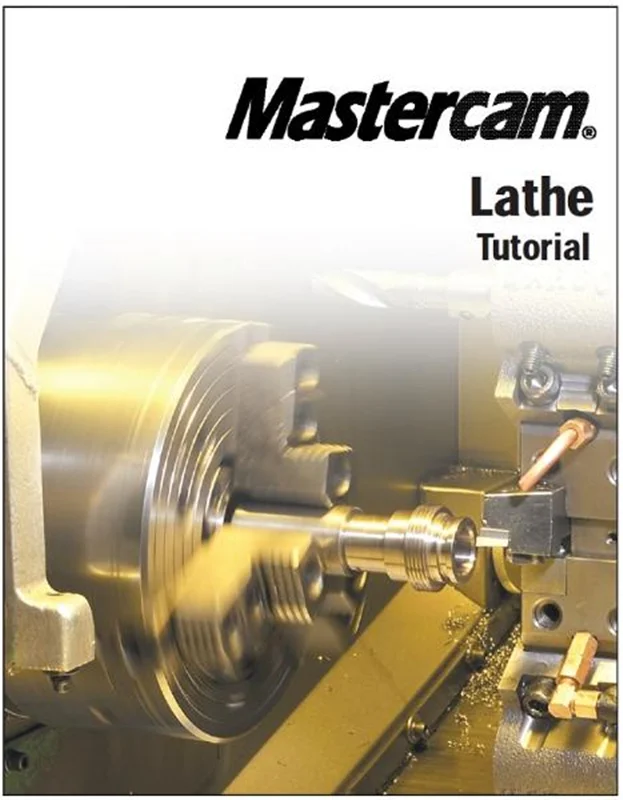
کتاب آموزش طراحی پروسه ماشینکاری و استخراج G کدهای دستگاه تراش Lathe Machining در نرم افزار MasterCam، یک کتاب مفید و کاربردی از آموزش ماشینکاری تراشکاری در نرم افزار مسترکم می باشد. الگوی آموزشی این کتاب مبتنی بر آموزش با مثال می باشد. کتاب مشتمل بر 294 صفحه، در 21 فصل، به زبان انگلیسی روان و به همراه تصاویر رنگی هر دستور و نوار ابزارها، به ترتیب زیر گردآوری شده است:

Chapter 1: Introduction to Mastercam Lathe

  • Using the sample parts
  • If you need more help
  • Additional resources

Chapter 2: Setting Up a 2-Axis Turning Job

  • Exercise 1 – Starting Mastercam Lathe
  • Exercise 2 – Opening the part
  • Exercise 3 – Setting the tool boundaries
  • Exercise 4 – Setting the reference points
  • Exercise 5 – Saving the part and exiting Mastercam Lathe

Chapter 3: Facing a Part

  • Exercise 1 – Selecting a facing tool
  • Exercise 2 – Entering the face toolpath parameters
  • Exercise 3 – Saving the part automatically
  • Exercise 4 – Backplotting to check the toolpath

Chapter 4: Roughing the OD

  • Exercise 1 – Chaining the geometry
  • Exercise 2 – Entering the quick rough parameters
  • Exercise 3 – Controlling the entry and exit moves
  • Exercise 4 – Backplotting to check the toolpath
  • Exercise 5 – Saving the part with a description

Chapter 5: Drilling the ID

  • Exercise 1 – Creating a spot drill toolpath
  • Exercise 2 – Creating a drill toolpath
  • Exercise 3 – Backplotting to check the toolpath
  • Exercise 4 – Making a change to the drill toolpath
  • Exercise 5 – Backplotting the updated toolpath

Chapter 6: Finishing the OD

  • Exercise 1 – Creating a custom tool
  • Exercise 2 – Entering the quick finish parameters
  • Exercise 3 – Backplotting to check the toolpaths
  • Exercise 4 – Modifying the part

Chapter 7: Creating an OD Groove

  • Exercise 1 – Defining a groove using one point
  • Exercise 2 – Entering the groove parameters
  • Exercise 3 – Backplotting to check the toolpaths
  • Exercise 4 – Posting the toolpaths
  • Exercise 5 – Exporting the toolpaths to a library

Chapter 8: Using Operation Libraries

  • Exercise 1 – Importing toolpaths from a library
  • Exercise 2 – Selecting new geometry
  • Exercise 3 – Backplotting to check the toolpaths

Chapter 9: Grooving and Finishing the ID

  • Exercise 1 – Defining a groove using two points
  • Exercise 2 – Entering the groove toolpath parameters
  • Exercise 3 – Copying a finish toolpath
  • Exercise 4 – Modifying the new finish toolpath

Chapter 10: ID and OD Threading

  • Exercise 1 – Creating an ID thread using thread tables
  • Exercise 2 – Backplotting the ID thread
  • Exercise 3 – Creating an OD thread using a thread formula
  • Exercise 4 – Backplotting the OD thread

Chapter 11: Machining a Casting

  • Exercise 1 – Chaining the OD for the rough toolpath
  • Exercise 2 – Entering the rough parameters
  • Exercise 3 – Defining a groove using a chain
  • Exercise 4 – Entering the groove parameters
  • Exercise 5 – Copying the finish toolpath
  • Exercise 6 – Entering the finish parameters
  • Exercise 7 – Viewing a model of the stock

Chapter 12: Machining on a VTL

  • Exercise 1 – Checking the job setup parameters
  • Exercise 2 – Entering the face toolpath parameters
  • Exercise 3 – Chaining the OD
  • Exercise 4 – Entering the quick rough parameters
  • Exercise 5 – Modifying the quick rough toolpath
  • Exercise 6 – Entering the quick finish parameters
  • Exercise 7 – Modifying the quick finish toolpath
  • Exercise 8 – Using levels

Chapter 13: Adjusting and Moving the Part

  • Exercise 1 – Flipping the stock
  • Exercise 2 – Transferring stock between spindles
  • Exercise 3 – Positioning the stock, tailstock, and steady rest

Chapter 14: Setting Up a Mill/Turn Job

  • Exercise 1 – Setting the tool boundaries
  • Exercise 2 – Setting the spindle/turret and live tooling
  • Exercise 3 – Setting the reference points
  • Exercise 4 – Importing toolpaths and geometry

Chapter 15: Creating a Cross Contour

  • Exercise 1 – Chaining the first Y-axis contour
  • Exercise 2 – Entering the cross contour parameters
  • Exercise 3 – Copying the cross contour toolpath
  • Exercise 4 – Chaining the second Y-axis contour
  • Exercise 5 – Backplotting with C-axis rotation
  • Exercise 6 – Machining the C-axis slots

Chapter 16: Creating a Face Contour

  • Exercise 1 – Chaining the contours
  • Exercise 2 – Entering the face contour parameters
  • Exercise 3 – Adjusting the depth of the face contour

Chapter 17: Cross Drilling

  • Exercise 1 – Selecting the C-axis drill points
  • Exercise 2 – Entering the cross drill parameters
  • Exercise 3 – Copying the cross drill toolpath
  • Exercise 4 – Modifying the cross drill parameters
  • Exercise 5 – Cross drilling the Y-axis holes
  • Exercise 6 – Backplotting to check the toolpaths

Chapter 18: Rotating a Mill Pocket Toolpath

  • Exercise 1 – Chaining the pocket
  • Exercise 2 – Entering the pocket parameters
  • Exercise 3 – Rotating the pocket toolpath
  • Exercise 4 – Verifying the toolpath

Chapter 19: Creating a C-Axis Contour

  • Exercise 1 – Chaining the numbers
  • Exercise 2 – Entering the C-axis contour parameters
  • Exercise 3 – Backplotting to check the toolpath

Chapter 20: Glossary

Chapter 21: Mastercam Shortcut Keys

جهت دانلود کتاب آموزش طراحی پروسه ماشینکاری و استخراج G کدهای دستگاه تراش Lathe Machining در نرم افزار MasterCam بر لینک زیر کلیک نمایید:


آموزش مسترکم، کتاب آموزش طراحی پروسه ماشینکاری و استخراج G کدهای دستگاه تراش Lathe Machining در نرم افزارMasterCam


آموزش مسترکم، کتاب آموزش طراحی پروسه ماشینکاری و استخراج G کدهای دستگاه تراش Lathe Machining در نرم افزارMasterCam


www.BartarFile.ir بازدید : 387 شنبه 29 خرداد 1395 نظرات (0)

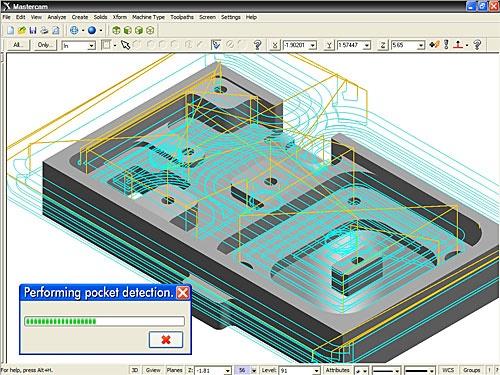
نرم‌افزار MasterCam یکی از قدیمی ترین نرم‌افزارهای تهیه مسیر ماشین کاری جهت دستگاه های CNC می‌باشد که ساخت شرکت CNC Software Inc است. این نرم‌افزار جهت نصب و استفاده نیاز به الزامات سخت‌افزاری کمتری نسبت به نرم‌افزارهای مشابه دارد و با داشتن post processor قوی امکان تعیین انواع مسیرهای حرکت ابزار جهت فرز و تراش CNC را فراهم می نماید. MasterCam در واقع یک نرم‌افزار مدل سازی کامل است که wireframe geometry دوبعدی وسه بعدی و عملیات سطح را با ویرایش قدرتمند و ابزار تغییر شکل ترکیب می‌کند. MasterCam Mill که براساس MasterCam Design پایه ریزی شده است این امکان را به شما می‌دهد که تعداد عملیات‌های ماشین کاری مختلف و گسترده را ایجاد و مدیریت کنید. MasterCam بخشی به نام associativity برای پیوند دادن عملیات‌های ماشین کاری به هندسه به کار می‌گیرد. بنابراین وقتی هندسه قطعه تغییر می‌کند Tool Paths می‌توانند به طور اتوماتیک احیا شوند.

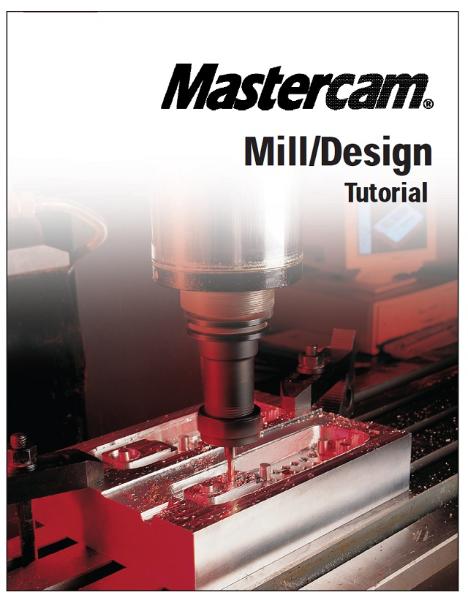
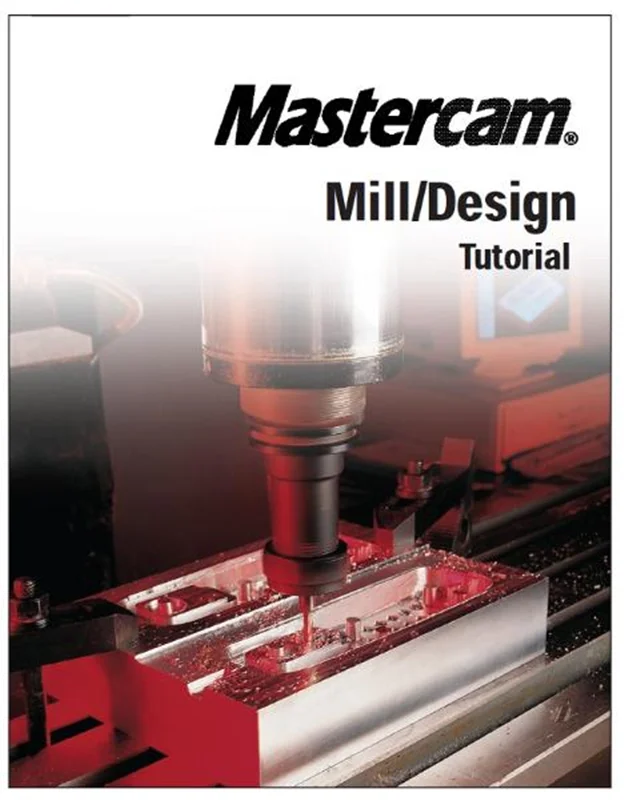
کتاب آموزش طراحی پروسه ماشینکاری و استخراج G کدهای دستگاه فرز Mill Machining در نرم افزار MasterCam، یک کتاب مفید و کاربردی از آموزش ماشینکاری فرزکاری در نرم افزار مسترکم می باشد. الگوی آموزشی این کتاب مبتنی بر آموزش با مثال می باشد. کتاب مشتمل بر 446 صفحه، در 19 فصل، به زبان انگلیسی روان و به همراه تصاویر رنگی هر دستور و نوار ابزارها، به ترتیب زیر گردآوری شده است:

Chapter 1: Introduction to Mastercam

  • Using the sample parts
  • If you need more help
  • Additional resources

Chapter 2: Getting Started

  • Exercise 1 – Learning the Mastercam interface
  • Exercise 2 – Designing a rectangle
  • Exercise 3 – Deleting the rectangle and using help

Chapter 3: Creating a 2D Part and Contour Toolpath

  • Exercise 1 – Designing the part
  • Exercise 2 – Creating the contour toolpath
  • Exercise 3 – Making changes to the toolpath

Chapter 4: Copying and Transforming Operations

  • Exercise 1 – Creating roughing and finishing passes
  • Exercise 2 – Creating a contour chamfer
  • Exercise 3 – Mirroring the part and toolpath

Chapter 5: Rotating Geometry and Toolpaths

  • Exercise 1 – Creating the geometry
  • Exercise 2 – Cutting the slots
  • Exercise 3 – Rotating a toolpath

Chapter 6: Creating Drill Toolpaths

  • Exercise 1 – Creating a basic drill toolpath
  • Exercise 2 – Changing the size of a drill hole
  • Exercise 3 – Drilling at different Z depths

Chapter 7: Working in 3D

  • Exercise 1 – Creating 3D geometry
  • Exercise 2 – Drawing the bottom of the part
  • Exercise 3 – Creating a drill toolpath in the new system view

Chapter 8: Using Circle Toolpaths

  • Exercise 1 – Creating a custom view
  • Exercise 2 – Machining the outside contour
  • Exercise 3 – Machining the holes and slot
  • Exercise 4 – Using Auto drill to create multiple drilling operations

Chapter 9: Facing and Pocketing Toolpaths

  • Exercise 1 – Facing the stock with high-speed loops
  • Exercise 2 – Comparing different pocket cutting methods
  • Exercise 3 – Specifying an entry point
  • Exercise 4 – Using contour ramp

Chapter 10: Pocket and Contour Toolpath Techniques

  • Exercise 1 – Remachining pockets
  • Exercise 2 – Using depth cuts, island facing, and tapered walls
  • Exercise 3 – Modifying a toolpath using the Toolpath Editor

Chapter 11: Reusing Operations

  • Exercise 1 – Creating an operations library
  • Exercise 2 – Importing operations
  • Exercise 3 – Using subprograms

Chapter 12: Choosing a Surface Type

  • Draft
  • Ruled
  • Loft
  • Revolved
  • Swept
  • Coons
  • Fillet
  • Trim, To surfaces
  • Trim, Flat boundary
  • Offset
  • Surface Blend
  • Fillet Blend

Chapter 13: Creating and Machining Surfaces

  • Exercise 1 – Creating surfaces
  • Exercise 2 – Creating a rough parallel toolpath
  • Exercise 3 – Creating a finish parallel toolpath
  • Exercise 4 – Creating a finish leftover toolpath
  • Exercise 5 – Creating a finish pencil toolpath

Chapter 14: Surface Roughing

  • Exercise 1 – Creating a rough pocket toolpath
  • Exercise 2 – Creating a rough plunge toolpath
  • Exercise 3 – Creating a restmill toolpath
  • Exercise 4 – Creating a high speed pocket toolpath

Chapter 15: Surface Finishing

  • Exercise 1 – Using finish steep and shallow toolpaths
  • Exercise 2 – Creating a finish radial toolpath
  • Exercise 3 – Creating a finish project toolpath
  • Exercise 4 – Creating a finish contour toolpath
  • Exercise 5 – Creating a contour shallow toolpath
  • Exercise 6 – Creating a finish scallop toolpath
  • Exercise 7 – Creating a finish flowline toolpath

Chapter 16: Creating Multiaxis Toolpaths

  • Exercise 1 – Creating a curve 5-axis toolpath
  • Exercise 2 – Creating a swarf 5-axis toolpath

Chapter 17: Machining Solids

  • Exercise 1 – Machining the pocket
  • Exercise 2 – Drilling the holes

Chapter 18: Glossary

Chapter 19: Mastercam Shortcut Keys

جهت دانلود کتاب آموزش طراحی پروسه ماشینکاری و استخراج G کدهای دستگاه فرز Mill Machining در نرم افزار MasterCam، بر لینک زیر کلیک نمایید:


آموزش مسترکم، کتاب آموزش طراحی پروسه ماشینکاری و استخراج G کدهای دستگاه فرز Mill Machining در نرم افزار MasterCam


آموزش مسترکم، کتاب آموزش طراحی پروسه ماشینکاری و استخراج G کدهای دستگاه فرز Mill Machining در نرم افزار MasterCam


www.BartarFile.ir بازدید : 412 جمعه 21 خرداد 1395 نظرات (0)

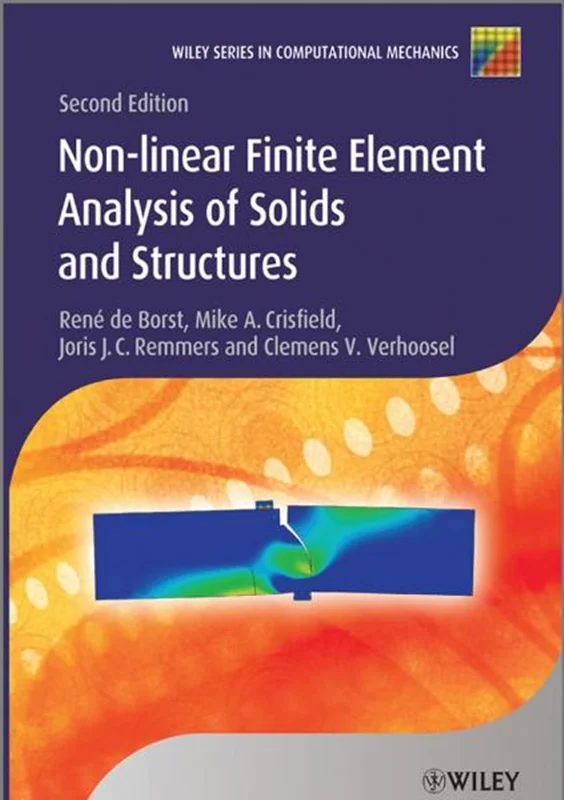
دانشمند مشهور Rene de Borst و تیم او در کتاب “تحلیل المان محدود غیرخطی جامدات و سازه‌ها” بر اساس دو کتاب اصلی نوشته شده توسط Mike Crisfield و یادداشت‌های سخنرانی او، یک نسخه فشرده و کاملا به‌روزشده را ارائه می‌دهد که مورد درخواست دانشجویان و مهندسان بر اساس ویرایش نخست محبوب Cridfield می‌باشد. همراه با اطلاعات به‌روز و جدید متعدد، نویسندگان جدید محتوای اصلی را حفظ کرده‌اند، درحالی که بر روی تحولات جدید ایده‌ها، تمرکزی بهبود یافته به ارمغان آورده‌اند…

کتاب تحلیل المان محدود غیرخطی جامدات و سازه‌ها (Nonlinear Finite Element Analysis of Solids and Structures)، مشتمل بر 5 بخش، 15 فصل، 543 صفحه، با فرمت PDF، به زبان انگلیسی، همراه با روابط مهم و پایه ریاضی المان محدود به ترتیب زیر گردآوری شده است:

PART I: BASIC CONCEPTS AND SOLUTION TECHNIQUES

Chapter 1: Preliminaries

Chapter 2: Non-linear Finite Element Analysis

Chapter 3: Geometrically Non-linear Analysis

Chapter 4: Solution Techniques in Quasi-static Analysis

Chapter 5: Solution Techniques for Non-linear Dynamics

PART II: MATERIAL NON - LINEARITIES

Chapter 6: Damage Mechanics

Chapter 7: Plasticity

Chapter 8: Time-dependent Material Models

PART III: STRUCTURAL ELEMENTS

Chapter 9: Beams and Arches

Chapter 10: Plates and Shells

PART IV: LARGE STRAINS

Chapter 11: Hyperelasticity

Chapter 12: Large-strain Elasto - plasticity

PART V: ADVANCED DISCRETISATION CONCEPTS

Chapter 13: Interfaces and Discontinuities

Chapter 14: Meshless and Partition-of-unity Methods

Chapter 15: Isogeometric Finite Element Analysis

جهت دانلود کتاب تحلیل المان محدود غیرخطی جامدات و سازه‌ها (Nonlinear Finite Element Analysis of Solids and Structures)، بر لینک زیر کلیک نمایید:


کتاب تحلیل المان محدود غیرخطی جامدات و سازه‌ها (Nonlinear Finite Element Analysis of Solids and Structures)


کتاب تحلیل المان محدود غیرخطی جامدات و سازه‌ها (Nonlinear Finite Element Analysis of Solids and Structures)


تعداد صفحات : 31

درباره ما
Profile Pic
فروشگاه برتر فایل یک سایت مرجع با هدف انتشار تحقیق، مقاله، پایان نامه، پاورپوینت، جزوه، کتاب و همچنین فایل های آموزشی از نرم افزار پیشرفته CATIA در زمینه رشته مهندسی مکانیک است که به منظور دسترسی راحت تر، سریع تر و ارزان تر شما دانشجویان و پژوهشگران به تحقیقات مد نظرتان تاسیس شده است. جهت دریافت فایل کامل هر عنوان کافی است به سایت اصلی فروشگاه به آدرس: www.bartarfile.ir
اطلاعات کاربری
  • فراموشی رمز عبور؟
  • آمار سایت
  • کل مطالب : 1028
  • کل نظرات : 15
  • افراد آنلاین : 3
  • تعداد اعضا : 27
  • آی پی امروز : 109
  • آی پی دیروز : 136
  • بازدید امروز : 2,158
  • باردید دیروز : 177
  • گوگل امروز : 12
  • گوگل دیروز : 8
  • بازدید هفته : 2,931
  • بازدید ماه : 12,167
  • بازدید سال : 67,937
  • بازدید کلی : 1,176,107
  • کدهای اختصاصی